• Home
  • VAT Registration Services

VAT Registration Services in UAE

Do you require professional and thorough VAT registration services in the UAE? We are an experienced VAT registration partner that guides businesses every step of the way, right from ascertaining eligibility to completing registration.

VAT registration is the first and mandatory compliance step for businesses that make taxable supplies in the United Arab Emirates. Once your business hits the mandatory turnover threshold over a given period, it becomes essential to register with the Federal Tax Authority and start collecting and reporting VAT on applicable transactions. VAT registration in the UAE not only allows you to compete for larger contracts, but also helps you transact easily across borders.

At The Total CFO, we navigate businesses in the UAE throughout the entire VAT registration process, making sure that your accounting systems are aligned with UAE VAT regulations.

Sign Up for a Free Consultation


    An OTP will be sent to your email for verification.


    Contact us on WhatsApp

    • UAE-Registered Tax Agents
      01 UAE-Registered Tax Agents
    • 25+ Years of Corporate Tax & Accounting Experience
      02 25+ Years of Corporate Tax & Accounting Experience
    • Licensed & Regulated Firm
      03 Licensed & Regulated Firm

    What is VAT Registration in the UAE?

    Value Added Tax (VAT) was introduced in the United Arab Emirates in 2018 as part of the UAE’s broader fiscal framework. The standard VAT rate stands at 5%, and is applied to most goods and services supplied within the country.

    To register for VAT, you must register your business with the Federal Tax Authority in order to legally collect VAT from customers and report it to the government.

    Once registered, these steps must be followed:

    • Collecting VAT from customers on taxable supplies
    • Submitting VAT returns periodically through the FTA portal
    • Maintaining VAT-compliant records for transactions, invoices as well as expenses

    Note: VAT registration also enables businesses to recover VAT paid on eligible business expenses, which improves overall tax efficiency.

    Who Must Register for VAT in the UAE?

    Before proceeding with the VAT registration UAE process, you must determine if your business is legally required to register for VAT. This requirement is determined by your taxable turnover and expected business activity, with a defined threshold by the VAT framework for mandatory and voluntary registration.
    • Service Icon

      Mandatory VAT Registration

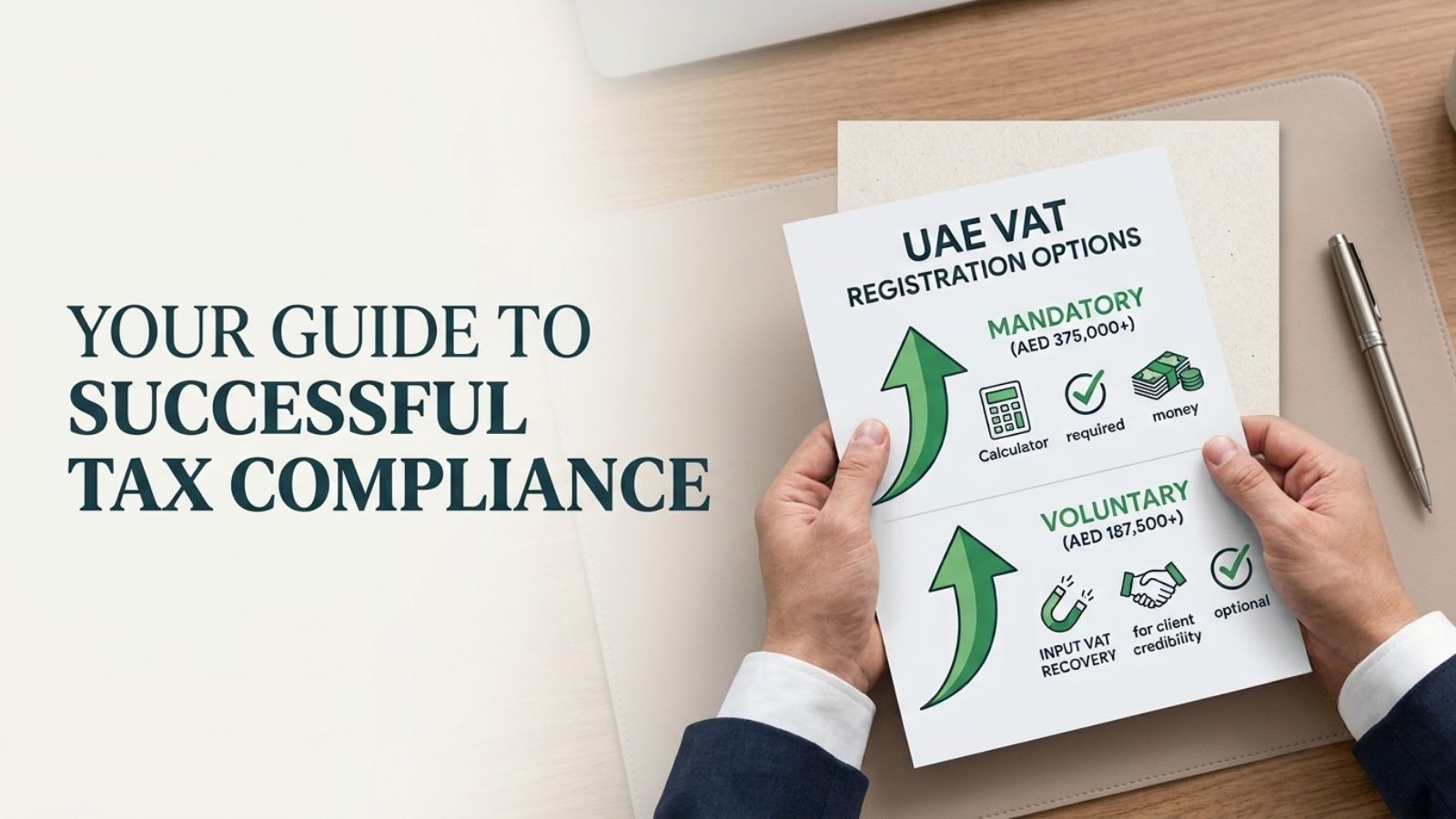
      Businesses must register for VAT when their taxable turnover exceeds AED 375,000 in the past 12 months or when their expected turnover is likely to exceed AED 375,000 within the next 30 days. It must also be noted that failing to register for VAT can result in penalties and additional tax liabilities.

    • Service Icon

      Voluntary VAT Registration

      Businesses may choose voluntary VAT registration when their taxable supplies or expenses exceed AED 187,500. Voluntary registration offers several advantages, including the ability to claim input VAT on eligible expenses, enhanced credibility with suppliers and clients, and the opportunity to prepare for future business growth while staying ready for mandatory compliance.

    Challenges Businesses Face in VAT Registration

    Although VAT registration may appear straightforward at first glance, many businesses face challenges when ascertaining eligibility and submitting their applications.

    Common VAT registration issues: 

    • Incorrect calculation of taxable turnover
    • Misinterpretation of business activities listed on trade licenses
    • Submission of incomplete documentation
    • Confusion between taxable, zero-rated, and exempt supplies
    • Application delays caused by incorrect EmaraTax portal submissions

    Most times, businesses mistakenly include non-taxable transactions while calculating their VAT threshold. This can lead to unnecessary registrations or compliance complications.

    VAT Registration Process in UAE

    VAT registration in the United Arab Emirates can be completed through the online tax portal managed by the Federal Tax Authority. While registration is done digitally, it requires careful preparation and accurate information to prevent any delays or possible application rejections.

    • Step 1: Evaluate VAT Eligibility

      The first step is to find out whether your business qualifies for mandatory or voluntary VAT registration. This is done by assessing the total value of your taxable supplies, imports, and business expenses over the past 12 months or projected for the next 30 days.

      While calculating the taxable turnover, businesses must make sure that only VAT-relevant transactions are included. If turnover is miscalculated, for example, including exempt supplies, it can lead to incorrect registration decisions or compliance issues later on.

    • Step 2: Create an Account on EmaraTax

      You can complete your VAT registration through EmaraTax, which is the official online tax portal of the Federal Tax Authority. To proceed, you must create a registered account by providing your:

      • Business contact details
      • Authorized signatory information
      • Login credentials for the tax portal

      Note: Once your account is verified, the system will provide your access to the VAT registration application form and tax services dashboard.

    • Step 3: Prepare Required Documentation

      Prior to submitting your VAT application, you must gather and organize the required documents. The more accurate and exhaustive these documents are, the quicker your application can be processed. If your company is involved in imports or exports, additional customs registration details may also be required.

    • Step 4: Submit VAT Registration Application

      After you have prepared all the information and documents, you can proceed to fill and submit the VAT registration form through the EmaraTax online portal. You have to ensure that the information you provide is consistent with the documents you submit for the VAT registration, as any discrepancy may lead to requests for clarification of the information submitted.

      Following information will be required to fill the VAT form:

      • Business ownership and structure
      • Turnover and taxable supply information
      • Type of business activities
      • Bank account details for VAT transactions
      • Import or export operations

    • Step 5: FTA Review and Approval

      Once you submit your VAT registration, the Federal Tax Authority (FTA) will examine your application. In the course of examining your application, the FTA may request additional information, as follows:

      • Requesting additional information to support your application
      • Asking for clarification of your business activities
      • Requesting verification of your financial turnover information

    • Step 6: Receive Your Tax Registration Number (TRN)

      Once your FTA application is approved, your business is assigned a Tax Registration Number (TRN), which validates your VAT registration status. It is imperative that your TRN is prominently displayed in:

      • VAT invoices sent to customers
      • Financial and accounting documents
      • Documentation related to taxation

    Note: After VAT registration, it is mandatory for your business to charge VAT on taxable supplies, keep VAT-compliant records, and submit VAT returns on a regular basis via the EmaraTax system.

    Documents Required for VAT Registration in UAE

    Your VAT registration documents should be up-to-date and correct. The Federal Tax Authority will need information that confirms your legal existence, ownership of the business, and how it funds its operations. 

    Here are some important documents required for VAT registration:

    • Proof of turnover: financial statements, invoices, or contracts indicating taxable supplies
    • Copy of trade license: to ascertain legal existence and business operations
    • Business account information: for financial verification and VAT payments
    • Passports and Emirates ID copies of owners/partners: for verification purposes
    • Customs registration information: if the business involves import or export operations
    • Business contact information: registered address, phone number, and email
    • Memorandum of Association (MOA): indicates business ownership and structure

    Penalties for Late VAT Registration

    Registering for VAT in a timely manner ensures that your VAT systems are correctly established. Failure to register within the stipulated period will result in your business incurring financial penalties.

    For example: 

    • AED 10,000 administrative penalty for failure to register within the stipulated period
    • Incurring liabilities for failure to charge VAT in transactions that needed to have VAT charged
    • Incurring retrospective VAT liabilities, which means that your business will have to pay VAT that was not charged in previous transactions

    VAT Registration for Different Types of Businesses

    VAT registration requirements vary depending on the business structure and the nature of their business. Therefore, understanding the different requirements helps in choosing the best VAT registration method.

    • VAT Registration for Startups

      When determining whether VAT registration is required, startups often need to ascertain projected turnover. Even if the mandatory threshold has not yet been crossed, voluntary registration may be beneficial in certain cases. Early VAT registration can help startups establish compliant financial systems from the start while also recovering VAT paid on business expenses.

    • VAT Registration for Small and Medium-Sized Enterprises

      VAT registration helps SMEs in maintaining efficient financial systems. By registering for VAT, SMEs can recover VAT incurred on business expenses. VAT registration also encourages the establishment of VAT-compliant financial systems. This ensures that all invoices and financial systems meet the regulatory requirements.

    • VAT Registration for Foreign Companies

      Foreign companies that operate in the UAE and carry out business activities that qualify for VAT registration may have to register for VAT even without a physical presence in the country. In some instances, VAT registration may become compulsory irrespective of the revenue threshold. Depending on the nature of their business, foreign companies may also have to appoint a fiscal representative to act on their behalf in VAT-related issues.

    • VAT Registration for Free Zone Businesses

      Businesses that operate in free zones in the UAE have to consider whether their business operates in a designated zone or a non-designated zone. This consideration is crucial in determining the VAT implications. Designated zones may have different VAT implications compared to mainland businesses. It is necessary to consider how VAT affects businesses that operate within and outside free zones.

    VAT Registration for Different Types of Businesses

    • VAT Registration for Startups

      When determining whether VAT registration is required, startups often need to ascertain projected turnover. Even if the mandatory threshold has not yet been crossed, voluntary registration may be beneficial in certain cases. Early VAT registration can help startups establish compliant financial systems from the start while also recovering VAT paid on business expenses.

    • VAT Registration for Small and Medium-Sized Enterprises

      VAT registration helps SMEs in maintaining efficient financial systems. By registering for VAT, SMEs can recover VAT incurred on business expenses. VAT registration also encourages the establishment of VAT-compliant financial systems. This ensures that all invoices and financial systems meet the regulatory requirements.

    • VAT Registration for Foreign Companies

      Foreign companies that operate in the UAE and carry out business activities that qualify for VAT registration may have to register for VAT even without a physical presence in the country. In some instances, VAT registration may become compulsory irrespective of the revenue threshold. Depending on the nature of their business, foreign companies may also have to appoint a fiscal representative to act on their behalf in VAT-related issues.

    • VAT Registration for Free Zone Businesses

      Businesses that operate in free zones in the UAE have to consider whether their business operates in a designated zone or a non-designated zone. This consideration is crucial in determining the VAT implications. Designated zones may have different VAT implications compared to mainland businesses. It is necessary to consider how VAT affects businesses that operate within and outside free zones.

    How The Total CFO Assists You with Your VAT Registration

    VAT registration involves more than simply completing an online form. It requires accurate eligibility assessment, calculating taxable turnover, preparing documentation, and ensuring that your  financial systems are aligned with VAT requirements.

    The Total CFO provides dedicated support throughout the VAT registration process, helping businesses complete registration correctly and on time while establishing the right financial framework for ongoing compliance.

    • VAT Eligibility Assessment

      We start by examining your business and its nature, your revenue sources, and taxable supplies. This enables us to determine not only whether your business qualifies for mandatory or voluntary VAT registration.

    • Turnover Analysis

      Calculating taxable turnover can be complex and prone to errors. Our experts ensure that the calculation is accurate and compliant with VAT regulations. At The Total CFO, we conduct a thorough analysis to ensure that only VAT-relevant transactions are taken into account.

      This process also helps us check if your business hasn’t exceeded the registration threshold and that your application submitted to the tax authority reflects precise financial information.

    • Complete Documentation Preparation

      The VAT registration process requires the collection of various documents that prove business ownership, legal structure, and financial operations. Our financial experts at The Total CFO assist you in collecting, analyzing, and organizing these documents to ensure they are correct and complete to fulfill the requirements of the Federal Tax Authority. This will minimize the chances of experiencing delays or additional clarification requests during the FTA review..

    • EmaraTax Application Filing

      Once the required information and documents are ready for submission, our team completes the VAT registration application through EmaraTax, which is the official tax portal used by the tax authority.

      We thoroughly check if all sections of the application are completed accurately and liaise with the FTA on your behalf if additional information or clarifications are required during the review stage.

    • VAT Setup & Compliance Guidance

      Including registration, The Total CFO helps your business establish and adopt systems needed for ongoing VAT compliance. We guide you in meeting VAT obligations once your registration is complete by:

      • Implementing the Tax Registration Number (TRN) across invoices and documentation
      • Setting up VAT-compliant invoice formats
      • Aligning accounting systems with VAT reporting requirements

      Establishing a structured VAT reporting process for future filings

    Simplify Your VAT Registration with The Total CFO

    VAT registration is the first step toward VAT compliance, and it must be entrusted to reliable tax filling experts in the UAE. We complete the process accurately so you can prevent regulatory complications while following the right financial structure for ongoing reporting and tax management.

    If your business needs guidance with VAT registration, The Total CFO is here to guide you through every stage of the process, from assessing eligibility to implementing VAT-compliant systems.

    Other Services

    Frequently Asked QuestionsYour Top Queries Answered

    • What is VAT registration in the UAE?

      VAT registration in the UAE is the process of registering a business with the Federal Tax Authority to collect and report Value Added Tax (VAT) on taxable goods and services. Once registered, the business receives a Tax Registration Number (TRN) and must charge VAT, file VAT returns, and maintain VAT-compliant records.

    • Who is required to register for VAT in the UAE?

      Businesses must register for VAT if their taxable turnover exceeds AED 375,000 within the last 12 months or is expected to exceed this amount within the next 30 days. Businesses with turnover above AED 187,500 may also opt for voluntary VAT registration.

    • What documents are required for VAT registration in the UAE?

      Common documents required for VAT registration include:

      • Trade license copy
      • Passport and Emirates ID of business owners
      • Memorandum of Association (MOA)
      • Business bank account details
      • Proof of turnover (financial statements, invoices, contracts)
      • Customs registration details (for import/export businesses)
      • Business contact information

      These documents help verify the legal structure and financial activities of the business.

    • How long does VAT registration take in the UAE?

      VAT registration in the UAE typically takes 5 to 20 working days, depending on the completeness of the application and whether additional clarification is requested by the Federal Tax Authority.

    • What happens after a business receives a VAT registration number (TRN)?

      Once a business receives its Tax Registration Number (TRN), it must:

      • Charge VAT on taxable supplies
      • Issue VAT-compliant invoices
      • Maintain proper accounting records
      • File periodic VAT returns through the tax portal

      These steps ensure ongoing VAT compliance in the UAE.

    • What are the penalties for late VAT registration in the UAE?

      Failure to register for VAT within the required time can result in an administrative penalty of AED 10,000. Businesses may also face additional liabilities for VAT that should have been charged on past transactions.

    • Can startups apply for voluntary VAT registration in the UAE?

      Yes, startups can apply for voluntary VAT registration if their taxable supplies or expenses exceed AED 187,500. Voluntary registration allows startups to recover input VAT on business expenses and establish compliant financial systems early.

    • How can professional VAT registration consultants help businesses?

      Professional VAT registration consultants help businesses with:

      • VAT eligibility assessment
      • Turnover calculation and compliance checks
      • Preparation of required documents
      • VAT registration application through the tax portal
      • Post-registration VAT compliance guidance

      This ensures accurate registration and reduces the risk of delays or penalties.

    Chat on WhatsApp
    ×

    test